You can modify the network name, WiFi password, and default router or modem settings using the Ubee web GUI at http://192.168.0.1 or http://192.168.100.1.
Login to 192.168.0.1
Login to 192.168.100.1
How can I access my Ubee router?
- In the address bar of a browser, type 192.168.0.1 or 192.168.100.1.
- Enter the Username and Password and click Login.
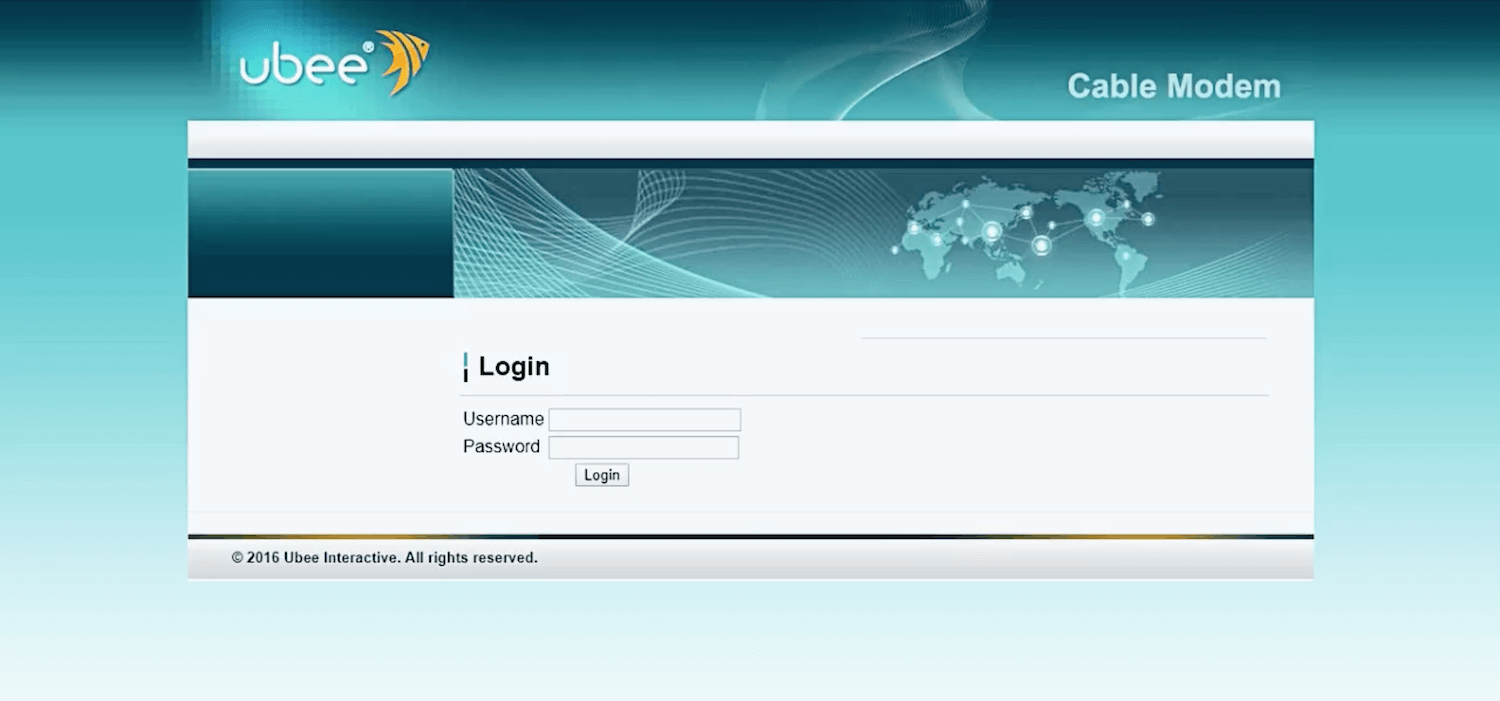
- The Ubee admin portal will be accessible to you.
The default password and username for Ubee
Your Ubee router/modem will have a sticker on the back that will print your default GUI IP address, username, and password.
| Username | Password |
|---|---|
| user | user |
| admin | GUI password printed on the back of the router |
| installer | cminstaller |
| operator | cmoperator |
How can I modify my network name and password for Ubee Wi-Fi?
- Open the Ubee admin site and log in.
- Select Wireless > Primary Network. If your router supports 2.4GHz and 5GHz networks, you need to configure each band separately.
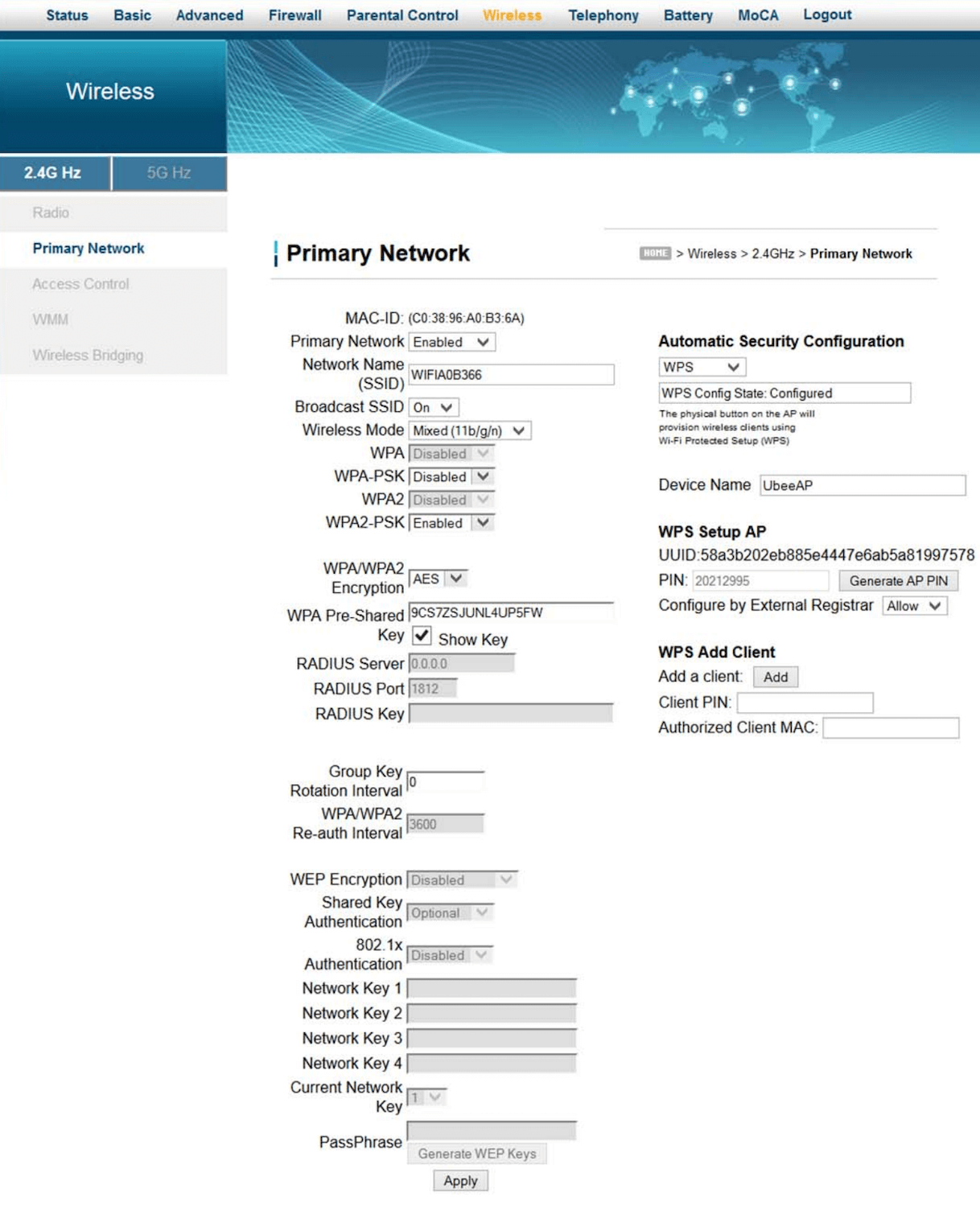
- In the Network Name (SSID) field, type the Wi-Fi network name.
- In the WPA Pre-Shared Key field, type the Wi-Fi password.
- Click Apply after scrolling down.
The procedures are applicable to additional Ubee 3.0 models, including the Ubee DDW365, DDW366, DVW326, UBC1307, and DVW32CB.