You can modify the network name (SSID), WiFi password, and default router settings on the Umniah web-management page at http://192.168.1.1 or http://192.168.8.1.
Login to 192.168.1.1
Login to 192.168.8.1
How can I access the Umniah router?
- Enter 192.168.1.1 or 192.168.8.1 in the address bar of a web browser.
- Enter the Username and Password and click Login.
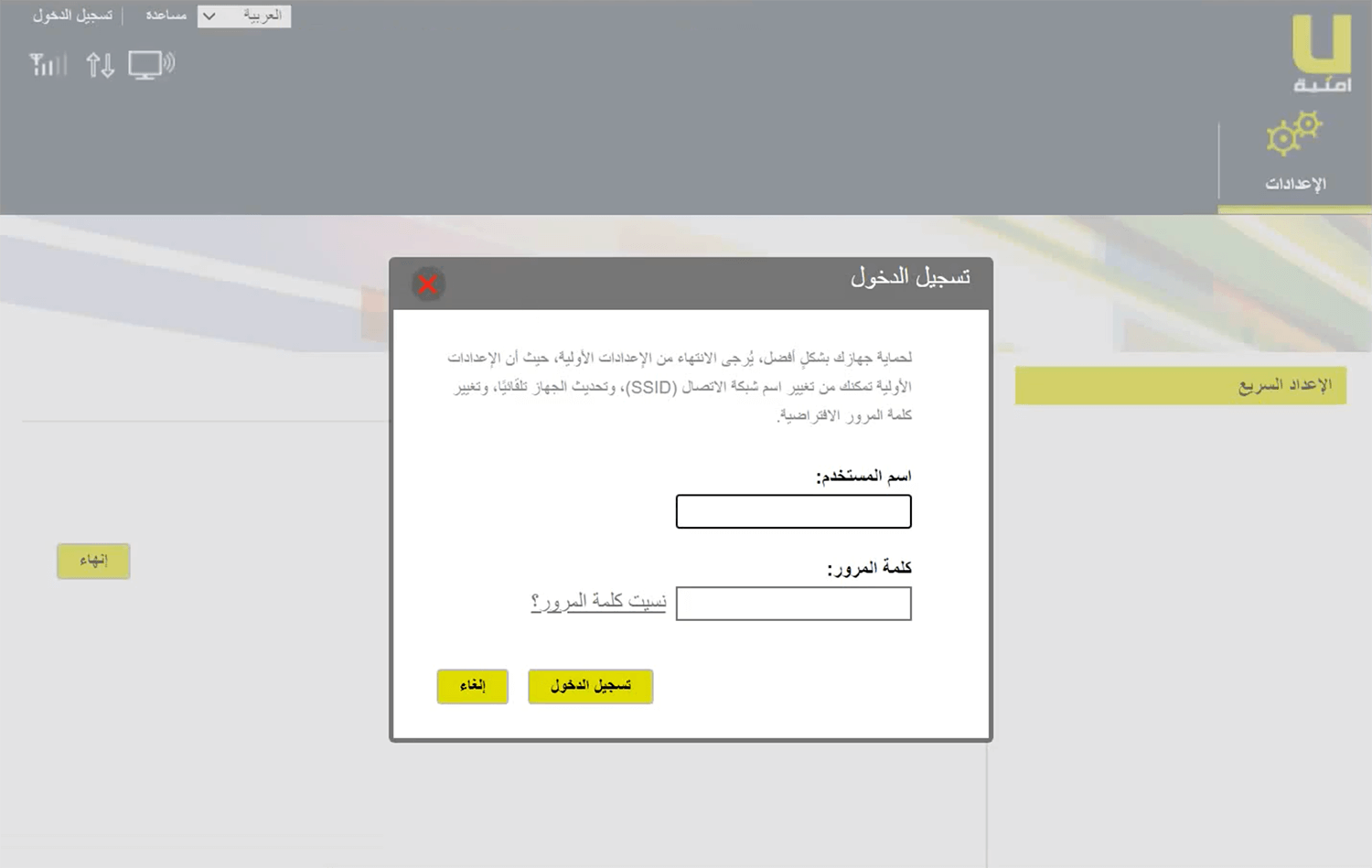
- You will be in the settings of the Umniah router.
By default The username and password for the Umniah router
| Device | Username | Password | IP Address |
|---|---|---|---|
| Umniah Evo Home | user | user | http://192.168.1.1 |
| Umniah Evo 4G | admin | admin | http://192.168.8.1 |
How can I modify my Umniah network name and password?
- Go to the router settings page and log in.
- Select WiFi from the menu.

- Enter the Wi-Fi Network Name in the (SSID) field.
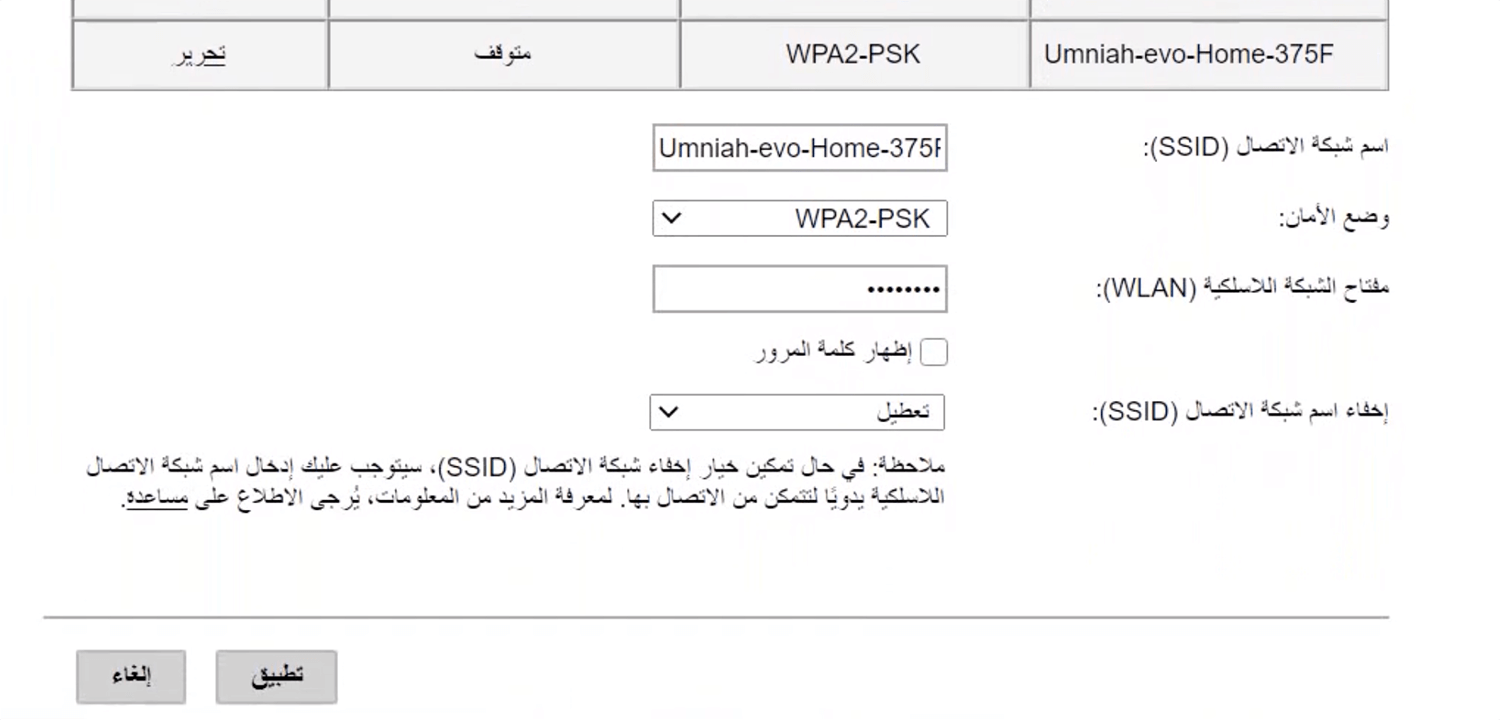
- In the (WLAN) field, type the Wi-Fi password.
- To save the settings, click.